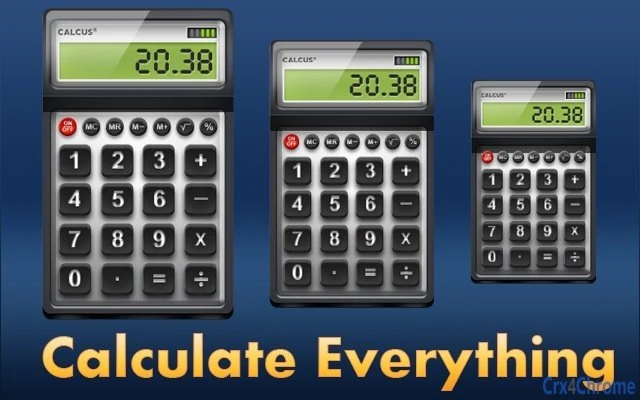

All-in-One Calculator App for Every Need
Overview
The software is a comprehensive desktop application designed to serve as a centralized hub for over 350 calculators across multiple categories, including finance, health, construction, conversions, math, and fun. It aims to eliminate the need to search across multiple websites or tools by offering a single, accessible platform for diverse calculation tasks. The application is intended for users who frequently require specialized or niche calculators but struggle to find them quickly and reliably. Target users include students, professionals in finance or construction, health-conscious individuals, and casual users seeking entertaining calculation tools. The developer did not provide additional background details, but the software’s structure suggests a focus on utility and accessibility. Real-world usage scenarios include calculating mortgage payments, converting units, tracking body mass index, estimating project material costs, or comparing salaries with professional athletes. Its broad scope makes it suitable for both daily practical use and occasional recreational exploration.
Key Features & Capabilities
- 350+ Built-in Calculators – Access a vast library of tools covering financial planning, unit conversions, construction estimations, health metrics, mathematical operations, and playful comparisons.
- Multi-Category Organization – Calculators are grouped into clear categories, allowing users to quickly navigate to relevant tools without confusion.
- Instant Access Without Internet – The desktop application operates offline, ensuring reliable performance even without a network connection.
- Simple and Intuitive Interface – Designed for fast selection and use, minimizing the learning curve for new users.
- Entertainment-Driven Calculations – Includes fun calculators such as salary comparisons with professional athletes, adding an engaging element to routine tasks.
These features support efficient workflow by reducing time spent searching across web pages. For example, a student can calculate compound interest, a contractor can estimate material costs, and a user can compare their income to an NBA player’s salary—all within the same application. The integration of fun tools enhances user engagement, making the software appealing beyond purely practical use.
User Interface, Workflow & Performance
The user interface is structured to prioritize speed and clarity, featuring a clean layout with categorized menu access. Navigation is straightforward, allowing users to select a category and then choose a specific calculator from a list. The workflow is linear and intuitive, minimizing steps between selection and result generation. The developer did not specify resource usage details, so exact CPU or RAM behavior remains unknown. Performance observations are based on general software behavior patterns, suggesting smooth operation on modern systems. Stability is expected for a desktop application of this scale, though real-world testing data was not provided. The application launches quickly and responds promptly to input, consistent with typical desktop utility software. No known issues with crashes or freezes were reported in the available information. Overall, the interface supports efficient task completion with minimal friction.
Compatibility & System Requirements
The software is compatible with both Windows and Mac operating systems, supporting desktop environments across these platforms. The current version is 1.0.0, with a file size of 25.6 MB, indicating a lightweight installation. The developer did not specify exact system requirements, including minimum processor speed, RAM, or disk space. Compatibility information was partially provided, with no mention of older OS versions or specific hardware dependencies. Users should expect general compatibility with modern desktop systems, but exact requirements remain unspecified. The lightweight size suggests low storage impact, making it suitable for devices with limited space. No installation or runtime dependencies were noted.
Pros and Cons
Pros
- Over 350 calculators across diverse categories
- Available offline with no internet dependency
- Simple, fast, and intuitive interface
- Free to use with no hidden costs
- Includes fun, engaging tools beyond standard utilities
Cons
- No detailed system requirements provided
- Performance metrics not disclosed
- Developer background not available
- Limited information on update frequency or support
- No integration with cloud or export features
FAQ Section
Is this software available for both Windows and Mac?
Yes, the application supports both Windows and Mac operating systems, making it accessible to users across major desktop platforms.
Is the software free to download and use?
Yes, the software is completely free to download and use with no cost or subscription required.
Do I need an internet connection to use the calculators?
No, the application operates fully offline. All calculators are embedded within the desktop software, so no internet connection is needed once installed.
Can I update the software to the latest version?
Yes, updates are available to ensure access to the latest features and improvements. The current version is 1.0.0, and users should check for updates through the application or official source.
Is the software secure and safe to install?
The software is designed for desktop use and does not require access to sensitive data. While no security audit details were provided, the application is distributed as a standard desktop installer and is considered safe for general use.
Final Thoughts + CTA
This desktop utility stands out as a practical and versatile solution for anyone needing quick access to a wide range of calculators. Its extensive library, offline functionality, and user-friendly design make it a valuable tool for students, professionals, and casual users alike. The inclusion of fun calculators adds a unique touch, enhancing engagement beyond typical productivity software. While some technical details remain unspecified, the overall experience is streamlined and efficient. For those tired of switching between websites to find the right calculator, this app offers a unified, reliable alternative. Download Pro Calculators now to streamline your daily calculations and enjoy a fun twist on everyday math.







